Digging Deeper: Granola’s AI Notepad Skips the Meeting Bot — Useful, but Privacy Still Matters
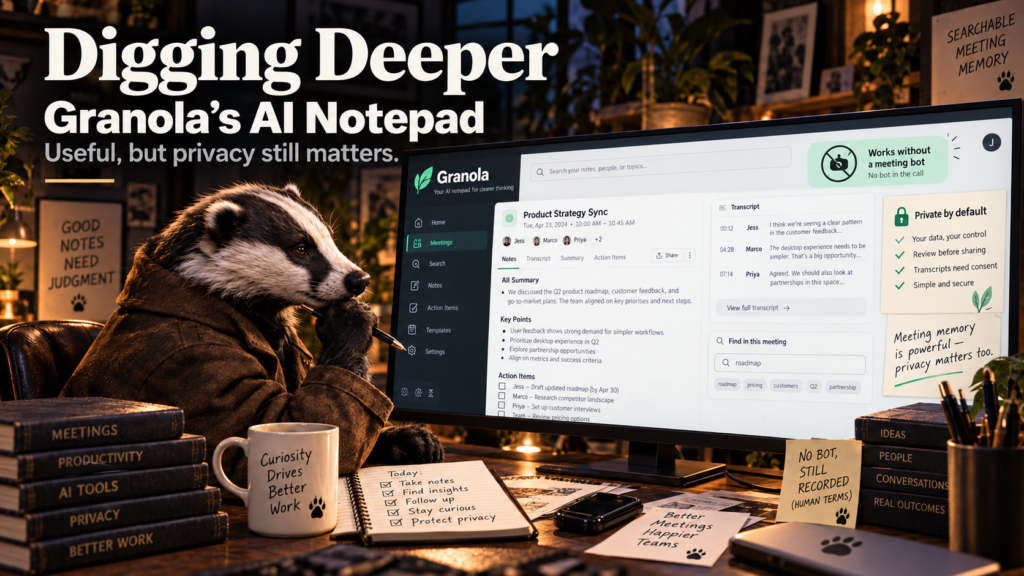
Most AI meeting tools announce themselves by joining the call as another participant. The bot sits in the attendee list, records the conversation, transcribes it and sends everyone a summary after the meeting. Granola takes a different approach: it runs on your device, listens to the meeting audio, and turns the conversation plus your own rough notes into a cleaner record.
That difference may sound cosmetic, but it changes the experience. There is no mysterious “Stephen’s Notetaker” avatar arriving before the client does. There is also less temptation to treat the transcript as the meeting itself. Granola positions the human’s notes as the starting point and the AI as the system that fills in context around them.
Granola Is More Notepad Than Meeting Bot
Granola works with Zoom, Google Meet, Teams and other meeting platforms without requiring a bot to join the call. It can also handle in-person conversations through its mobile apps. After the meeting, users can search the notes, extract action items, draft follow-up messages and query information across previous conversations.
For anyone with back-to-back calls, that solves a real problem. The first meeting may produce three promises, the second meeting changes one of them, and by lunch the paper notebook contains a cryptic sentence that made perfect sense two hours ago. Searchable meeting memory can be genuinely useful when it is accurate and organized.
No Bot Does Not Mean No Recording
The absence of a visible bot can make the system feel less intrusive, but the conversation is still being captured for transcription. Granola’s security documentation says the desktop app accesses microphone and meeting audio, transcribes it and does not keep the meeting audio recording after transcription. The transcript and notes remain as the useful record.
That is a meaningful privacy distinction, but it does not eliminate the social or legal question of whether participants know the conversation is being transcribed. Granola itself provides notification controls for organizations and recommends handling participant notification according to the applicable requirements. “The bot is not in the room” is not the same thing as “nothing is being recorded.”
The Data Policy Is Better Than a Vague “We Value Privacy” Banner
Granola says third-party AI providers are not allowed to use customer meeting data to train their models. The company does use anonymized data to improve Granola unless the user opts out, while Enterprise customers have training disabled by default. It also states that notes are private by default and that the service has SOC 2 Type 2 certification.
Those are useful specifics because meetings can contain customer names, pricing, internal plans, personnel discussions and other information a business would not casually paste into a public chatbot. Any company adopting an AI meeting tool should still decide which kinds of conversations are appropriate to capture and who is allowed to share the resulting notes.
The Free Plan Is Actually Usable
Granola’s current Basic plan is free and includes AI meeting notes, AI chat, shared folders and custom templates, with limited meeting history. The Business plan is currently listed at $14 per user per month and adds unlimited history, more integrations and advanced capabilities. Enterprise adds stronger administrative and security controls.
For a small business, the free tier makes testing straightforward. The important test is not whether the summary looks impressive after one meeting. Use it for enough meetings to see whether action items remain accurate, whether names and technical terms survive transcription, and whether the search function genuinely saves time later.
The Real Value Is What Happens After the Meeting
Automatic summaries are rapidly becoming a commodity. The more valuable feature is connecting a conversation to the work that follows it. Turning a client call into a follow-up email, extracting tasks, remembering what was promised last month, or finding every meeting where a particular project risk was discussed can save more time than merely generating a pretty set of notes.
That is also where accuracy matters most. A typo in a transcript is annoying. A wrong action item that gets pushed into a project system is operational. The more automation you attach to meeting notes, the more worthwhile it is to keep a human confirmation step before the notes start creating work elsewhere.
Small Teams Need a Meeting Policy Before They Need an AI Meeting Tool
Decide who can use the tool, which conversations should never be captured, how long transcripts are retained, whether customers are notified, and what happens when somebody asks not to be transcribed. Those rules do not need to become a forty-page compliance manual. They simply prevent “every meeting gets recorded because the software can” from becoming the default by accident.
The best AI workflow is usually the one where everybody understands what the software is doing. Convenience should not depend on surprise.
The Bottom Line
Granola has a thoughtful twist on the AI notetaker: keep the human in the conversation, avoid sending a bot into the room, and use the transcript to improve the notes rather than replace them. For people who live in meetings, that can be genuinely useful.
Just remember that invisible capture is still capture. The polite, practical and often legally sensible thing is to make the transcription part as clear as the notes it produces.