
The 10 Best Free FTP Clients in 2026: No Trials, No Nonsense
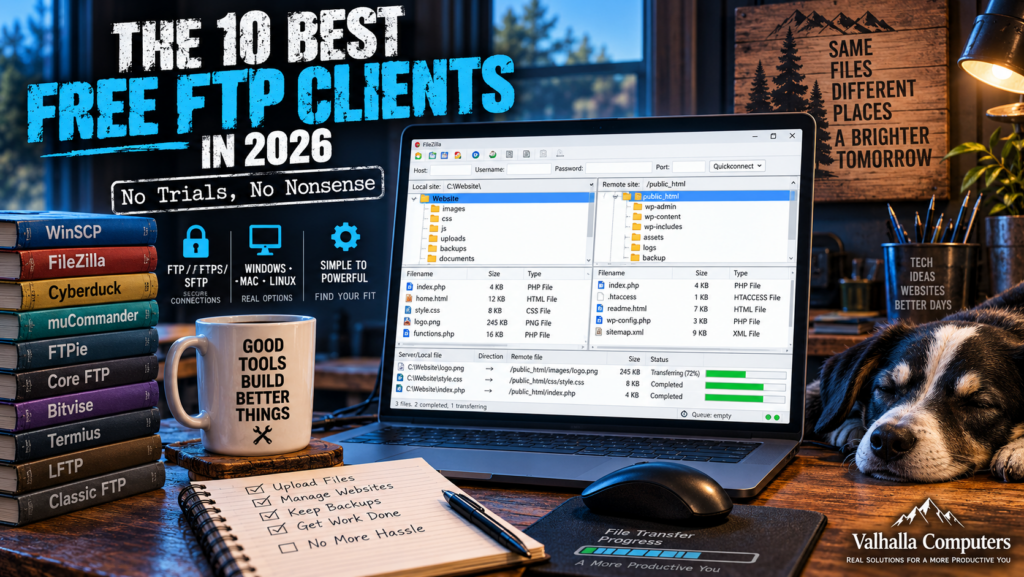
FTP has been around long enough that it occasionally feels like one of those technologies that should have disappeared years ago, yet anyone who manages websites, servers, hosting accounts or remote files knows it is still very much alive. The terminology has expanded—FTP, FTPS and SFTP are not the same protocol—but the basic job remains simple: move files between your computer and another machine without turning the process into an afternoon project.
The problem comes when you search for a “free FTP client.” A surprising number of lists mix genuinely free software with limited trials, abandoned programs, paid applications and products whose free version conveniently stops being useful just when you need it. For this ranking I looked at what is actually available as of September 2026, checked the official developer or project sites, considered whether the software is still being maintained, and gave preference to programs that provide a genuinely useful free version rather than simply allowing you to look at the interface before asking for a credit card.
One security note before we begin: traditional FTP transfers usernames, passwords and data without encryption. If your host supports SFTP or FTPS, use one of those instead. Most of the better clients below support at least one secure alternative.
1. WinSCP — Best Overall Free FTP Client for Windows
For Windows users, WinSCP takes the top spot because there is very little nonsense attached to it. It is free, open source, actively maintained and powerful enough for both someone uploading a few WordPress files and an administrator managing servers every day. WinSCP supports FTP and FTPS along with SFTP, SCP, WebDAV and Amazon S3, so it can replace several separate file-transfer tools for many users. It also includes directory synchronization, an integrated text editor, scripting and automation capabilities, and both traditional Commander-style and Windows Explorer-style interfaces.
Maintenance is another reason it ranks first. Version 6.5.7 was released on September 9, 2026, only days before this article was written, and includes current security components and compatibility updates. There is also a portable version if you would rather carry it on a USB drive than install it permanently. The major limitation is straightforward: WinSCP is Windows-only. If that is your operating system, however, it is difficult to recommend anything above it.
Download WinSCP from the official site
2. FileZilla Client — Best Free Cross-Platform Choice
FileZilla Client remains one of the names almost everyone eventually encounters when working with websites, and there is a reason it has survived so many generations of web-development software. The regular FileZilla Client is still free and open source and supports FTP, FTPS and SFTP. It is available for Windows, macOS and Linux, making it the easiest recommendation when several computers or operating systems need to use the same FTP client.
The interface is busier than WinSCP’s and can initially look intimidating to someone who merely wants to move three files to a web server, but it becomes extremely efficient once you understand the layout. Site Manager saves connections, transfers can be queued, local and remote directories remain visible simultaneously, and failed transfers are easy to retry. The current stable FileZilla Client is version 3.71.1, so this is not some forgotten utility surviving solely because old tutorials keep linking to it.
FileZilla does offer paid Pro products with additional cloud-storage functionality, but you do not need FileZilla Pro simply to use ordinary FTP, FTPS or SFTP. For someone who needs a true cross-platform FTP client without paying anything, FileZilla remains one of the safest choices.
Download FileZilla Client from the official site
3. Cyberduck — Best for FTP Plus Cloud Storage
Cyberduck earns third place because it goes well beyond conventional FTP without making ordinary file transfers unnecessarily complicated. It supports FTP, FTPS and SFTP, but it can also connect directly to services and technologies including WebDAV, Amazon S3, Backblaze B2, Microsoft Azure, OneDrive, Google Drive and Dropbox. That makes it particularly attractive for someone whose remote files are scattered between a web host and several cloud-storage services.
Cyberduck is available for Windows and macOS and remains actively developed. Version 9.5.4 was released on August 25, 2026. The software is genuinely free, although the developers encourage donations and display a donation prompt; contributing at least $10 gets you a registration key that removes that prompt. That is quite different from a trial expiration: the downloaded application remains usable without purchasing it.
Cyberduck’s interface is cleaner than many traditional FTP clients, although users accustomed to a permanent dual-pane local/remote layout may prefer WinSCP, FileZilla or muCommander. Its combination of secure server access and cloud-storage support is what earns it such a high ranking.
Download Cyberduck from the official site
4. muCommander — Best Free Dual-Pane File Manager With FTP Built In
muCommander approaches the problem from a slightly different direction. Rather than being only an FTP application, it is an open-source dual-pane file manager that treats remote servers almost like another filesystem. Along with normal local file operations, it can work with FTP, SFTP, SMB, NFS, HTTP, Amazon S3 and several other storage systems.
This is particularly useful if you like old-school two-pane file managers, because local and remote file management become part of the same workflow instead of FTP feeling like a separate application. muCommander is available on Windows, macOS and multiple Linux distributions, and there is even a portable Windows build. The current release, version 1.6.2, arrived in May 2026, and the project is released under the GNU GPL v3 license.
The tradeoff is that muCommander is a general-purpose file manager first, so users looking for specialized FTP automation may find WinSCP or FileZilla more focused. For anyone who wants one free tool to browse both local and remote storage, however, it is surprisingly capable.
Download muCommander from the official site
5. FTPie — Best Modern-Looking Windows FTP Client
FTPie is one of the newer programs in this group, and visually it shows. While several long-established FTP clients still look like they were designed when Windows XP was considered futuristic, FTPie has a much more modern Windows interface. It can work with FTP, FTPS, SFTP, WebDAV, NAS devices and numerous cloud-storage services, although which features are available depends on the plan.
The important distinction for an article about genuinely free software is that FTPie Free provides FTP and FTPS at no cost. The developer describes it as a permanently free FTP/FTPS client, with no account required to download it. Installing the application also gives you temporary access to paid features, but the basic free version does not disappear when that trial ends. Version 2026.9.1 was current when I checked.
That limitation is also why FTPie does not rank above the first four. If all you need is FTP or FTPS on Windows, the free version is appealing. If your priority is free SFTP and broader functionality, WinSCP, FileZilla, Cyberduck or muCommander gives you more without moving into a paid tier.
Download FTPie from the official site
6. Core FTP LE — An Old-School Windows Client That Still Gets the Job Done
Core FTP LE looks decidedly more traditional, but underneath the aging interface is a surprisingly complete free Windows FTP client. It supports standard FTP along with SFTP, SSL/TLS and FTPS, and includes transfer resume, drag-and-drop transfers, file viewing and editing, browser integration, command-line transfers, remote searching and several other features that many users will never need until the day they suddenly do.

One pleasant surprise is that Core FTP explicitly says the LE edition contains no popup advertising or spyware and does not constantly nag users to register. Its download documentation also states that Core FTP LE is freeware and permits personal, educational and commercial use under the terms included with the program. The most recent 2.3 build listed by the developer was updated in November 2025, so while development is not as rapid as WinSCP or Cyberduck, the program has not simply been abandoned.
The biggest weaknesses are Windows-only availability and an interface that feels dated next to modern alternatives. If appearances do not matter and you simply want a small, proven FTP/SFTP client, Core FTP LE remains useful.
Download Core FTP LE from the official site
7. Bitvise SSH Client — Best Free SFTP Specialist for Windows
Bitvise SSH Client deserves a place here with one important qualification: this is not a traditional FTP or FTPS client. It focuses on SSH and SFTP, which is often what people actually mean today when they say they need an FTP program for secure server access. If your hosting company gives you an SFTP hostname, username and port 22, Bitvise can be a very capable option.
The client includes both graphical and command-line SFTP tools, SSH terminal access, tunneling, key management and other features aimed at server administration. Unlike Bitvise’s server product, the SSH Client can be used free of charge in environments of any type, including organizations, so this is not one of those “free at home, pay at work” licenses. The current client version is 9.66, and Bitvise says its software contains no advertising or bundled installers.
Bitvise ranks below Core FTP because it is Windows-only and does not provide ordinary FTP/FTPS client functionality. For SFTP specifically, though, I would rank it considerably higher.
Download Bitvise SSH Client from the official site
8. Termius — Best Free SFTP Client for People Who Also Live in SSH
Termius is another entry that is technically an SFTP rather than conventional FTP recommendation. Its free Starter plan includes SSH and SFTP along with a local vault and port forwarding, and Termius explicitly says the free tier is available for commercial use. The application runs on Windows, macOS and Linux as well as iOS and Android, making it one of the most broadly available tools in this ranking.
The attraction here is not merely file transfer. Termius is designed for people who regularly connect to servers through SSH, open terminals, manage keys and occasionally need to move files through SFTP. If that describes your workflow, its polished interface may be more appealing than a dedicated FTP client. If all you want to do is upload WordPress files to a hosting account once every three months, however, most of Termius’s capabilities are unnecessary.
The free plan is genuinely useful, but several synchronization, collaboration and advanced management features belong to paid tiers. That keeps it below the completely free general-purpose clients above, but the Starter plan is substantial enough that it deserves inclusion rather than being dismissed as a glorified demo.
Download Termius from the official site
9. LFTP — Best Free Command-Line FTP Client for Automation
LFTP is where we leave the comfortable world of graphical windows and buttons. It is a command-line file-transfer program supporting FTP, SFTP, HTTP and several other protocols, with capabilities including bookmarks, parallel transfers, job control and a built-in mirror command. It is free software distributed under the GNU GPL.
For scripts, automated deployments and people who are perfectly comfortable living at a command prompt, LFTP can be more useful than a fancy graphical client. Its ability to mirror directories and continue work in the background has made it a long-standing favorite among Unix and Linux users. The reason it sits near the bottom of this particular ranking is not that it lacks power; it is because most people searching for a “free FTP client” are expecting a graphical program they can learn in five minutes.
There is also a maintenance concern worth mentioning. The latest listed release is 4.9.3 from November 2024, and the developer openly states that current work leaves limited time to support the project. That does not make LFTP unusable, but it does mean I would choose one of the actively maintained graphical clients above for an ordinary desktop user in 2026.
Visit the official LFTP project and download page
10. Classic FTP — Simple and Free, but With an Important Licensing Catch
Classic FTP from NCH Software takes the final spot because it is still available, straightforward and supports current Windows versions, but its definition of “free” is narrower than most programs higher on this list. It provides the familiar local-and-remote file layout, drag-and-drop transfers, folder synchronization and secure FTP over SSL. NCH lists support for Windows 7 through Windows 11 and also provides a macOS version.
The catch is important: the free version is licensed only for personal, non-commercial home use. If you are maintaining a business website or using the program professionally, NCH requires a commercial license. That does not make the free version dishonest—it is stated directly on the company’s download page—but it prevents Classic FTP from competing with WinSCP, FileZilla, Cyberduck or Core FTP LE for someone who needs a free tool for work.
For someone at home who wants a simple conventional FTP client and does not need SFTP, it remains serviceable. For Valhalla Computers or any other commercial use, I would simply move back up the list.
Download Classic FTP from NCH Software
So Which Free FTP Client Should You Actually Download?
For a Windows computer, my first choice is WinSCP. It is genuinely free, actively maintained, supports practically every file-transfer protocol most website owners will encounter, and gives advanced users room to grow without making beginners fight through unnecessary complexity.
If you regularly move between Windows, macOS and Linux, FileZilla is the safer universal recommendation. If you work with traditional servers and cloud storage together, Cyberduck becomes especially attractive. People who want remote connections integrated into a full dual-pane file manager should look at muCommander, while Windows users who simply want something newer-looking may prefer FTPie.
Bitvise and Termius are excellent choices when what you actually need is SFTP and SSH, rather than traditional FTP. LFTP remains extremely capable for command-line automation, while Classic FTP earns its place mainly as a straightforward home-use option.
There were also some familiar names I deliberately left off. CrossFTP, for example, still appears on many older “best free FTP client” lists, but when I checked its official website during this research, the hosting account was displaying an “Account Suspended” page. That is not something I am going to send readers toward simply because another article recommended it five years ago. CoffeeCup’s Free FTP is still offered, but its official page lists version 4.5 from July 2018 and references Windows 8, 7 and Vista, which makes it difficult to recommend over software receiving active 2026 updates.
That last point is worth remembering whenever you search for free software. Free does not necessarily mean bad, and paid does not necessarily mean better. Some of the strongest tools in this category—WinSCP, FileZilla, Cyberduck and muCommander—are mature projects that remain genuinely free. The trick is separating those from abandoned utilities, limited trials and old recommendations being recycled because nobody bothered to check whether the program still exists.
For most people, you can safely stop searching at the top three.